
Place the building slightly above the centre of the camera preview and keep more room below. You are composing for the corrected photograph, not only for the live view.
When you face a tall building, try easing the phone slightly downward. Keep the entire roof in frame, but remove sky you do not need. Why can this help preserve the complete building after perspective correction? The answer has two parts: the perspective transformation and the rectangular crop.
Our earlier article explains why a roof can disappear after correction. This one follows the geometry step by step, using the same illustrative scene to show where framing room goes.
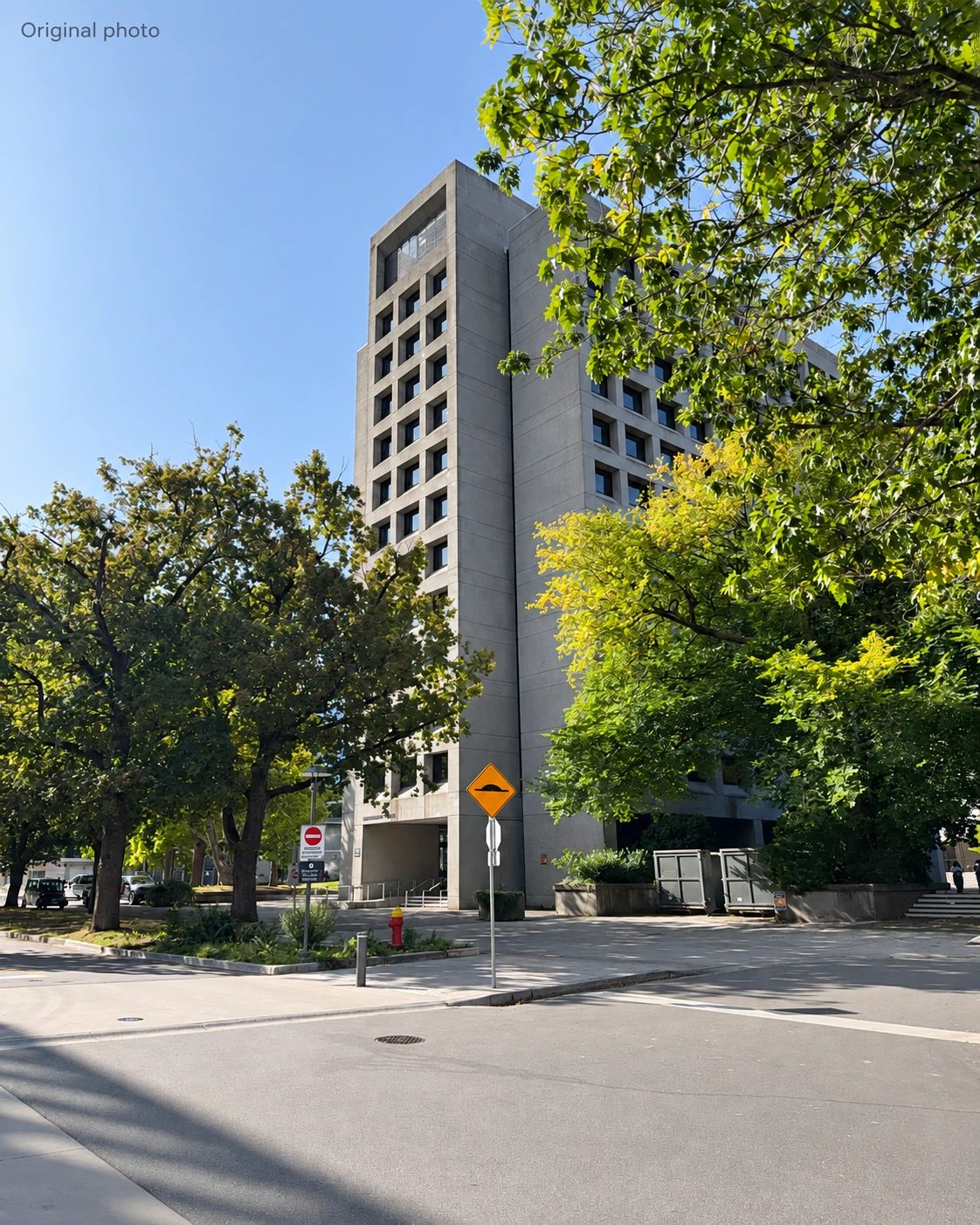
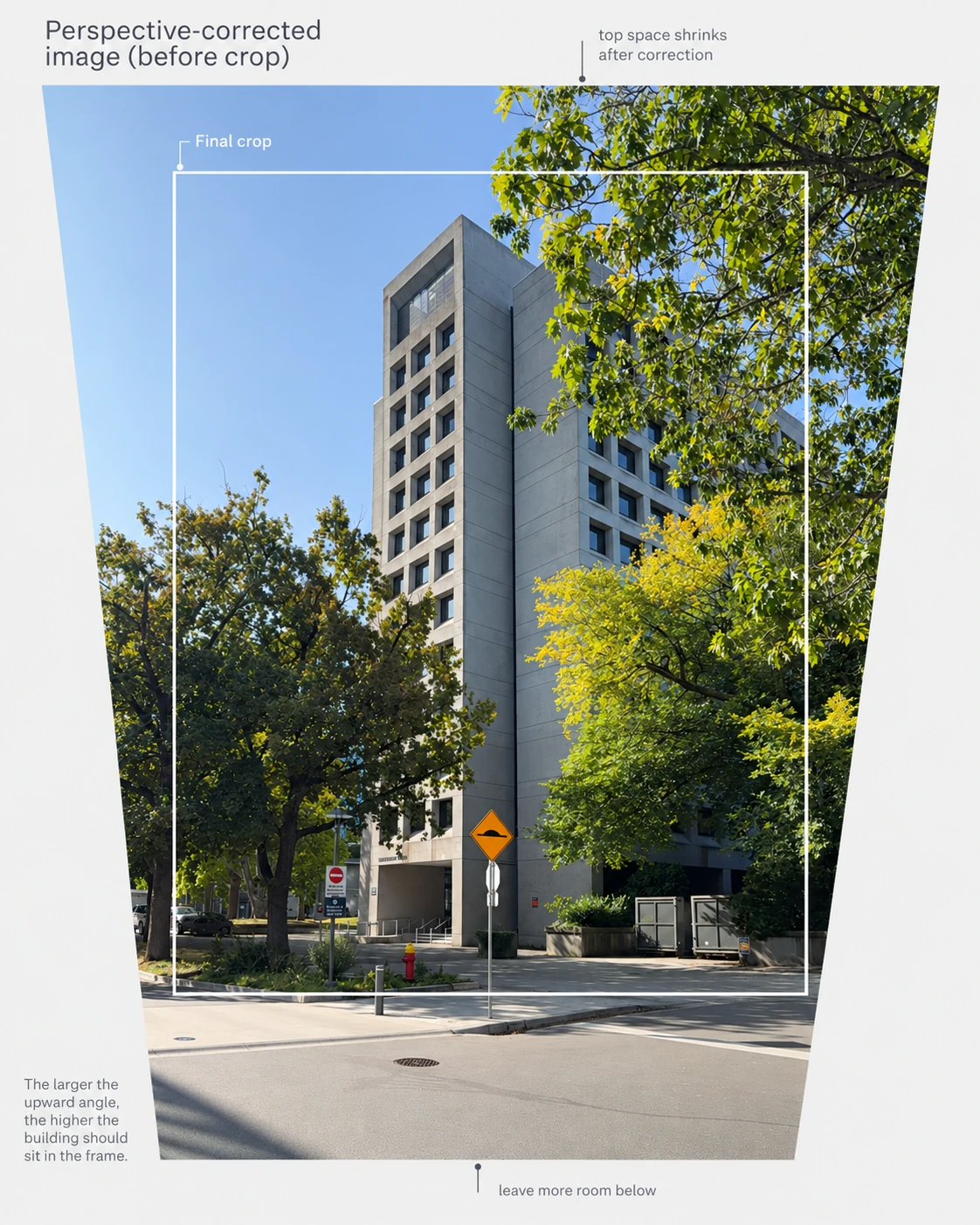
Both pictures are AI-generated illustrations of a framing principle. Figure 2 is not a pixel-by-pixel transformation of Figure 1 or an actual Plumb output. When a safe correction is possible, Plumb aims to keep as much usable image as the target aspect ratio and blank-corner constraints allow; the amount retained still depends on the capture angle and framing.
1. The building straightens, but the image boundary changes
An upward-tilted camera makes parallel vertical edges converge in the photograph. Correcting those edges does not simply enlarge the whole image uniformly. A perspective remapping can expand the upper part more than the lower part.
In an illustration that mainly corrects upward pitch, the area containing all transformed pixels is often wider at the top than at the bottom. With sideways roll or additional changes, its boundary can be less regular. The exact outline depends on the transformation; this drawing explains one common case.
2. Fit a 3:4 rectangle inside the valid image
The white frame in Figure 2 is one possible portrait 3:4 crop. A finished image without blank corners must fit entirely inside the transformed area. If you choose a different output ratio, the available crop changes too.
This is not a rule that only the bottom will be cut. Roll, horizontal perspective, output ratio and crop placement all matter; the figure is a geometric illustration rather than an exact Plumb output.
In the illustrated top-wide, bottom-narrow area, moving the crop downward reaches a narrower part of the image. At a fixed 3:4 ratio, a narrower crop must also be shorter. Keeping a larger frame can therefore mean placing it higher and letting some foreground go, rather than trimming every edge equally.
3. Give the building more room below at capture time
Spend less of the preview on excess sky and leave more expendable foreground below. If some of that ground is lost to the final crop, you have a better chance of keeping the building’s base and its relationship to the street.
Keep the roof completely inside the camera image with a small safety gap; high in the frame does not mean pressed against the edge. Leave room at the sides for overhangs and adjacent structures as well.
For a similar lens and output ratio, a stronger upward tilt usually makes the difference between top and bottom greater. There is no universal safe-margin percentage. Take a test frame, compare Original and Corrected in Plumb, and reframe while you are still on site if an important detail is lost.
Compose not only for the preview at the shutter, but also for the photograph you want after correction.
Geometry and cropping references
These sources explain general perspective mapping and crop constraints; they do not document Plumb’s exact implementation.
Related reading
Architectural photography with iPhone
Explore practical guides to photographing tall buildings, correcting perspective and leaving room for the final crop.